A favicon is a small icon that appears in the left corner and left corner of the address bar tabs. By default favicon based blog Blogger / Blogspot is the symbol B with orange background. Obviously you want to have your own favicon for branding your blog right? How do I create a favicon that easily, then display it on a blog? Let us try now.
First you must have a picture to favicon. Perhaps for those of you who mastered graphics software, you can definitely make a logo with Adobe Photoshop, Illustrator, CorelDraw, or other graphics software that you are his master. But if you do not master the graphics software, you can use the icon for free by googling or even a picture on your hard drive. If a picture / image that you want to make a favicon ready, go first to the website
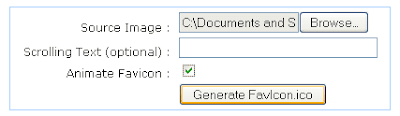
http://favicon.htmlkit.com/favicon/.Then upload the file by pressing browse. Then click "Generate favicon.ico".
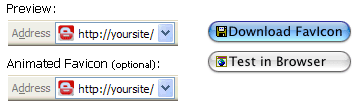
Next download favicon generated by clicking the "Download Favicon".
Now, log into
Blogger. Select Layout -> Edit HTML.
*to file image / favicon extension ". ico"
Copy the code below:
<link rel="shortcut icon" href="favicon.ico" />
*to file image / favicon extension ". gif"
Copy the code below:
<link rel="icon" href="animated_favicon1.gif" type="image/gif" />
Then paste it just below the following line of code (in HTML editing your blog):
<b:include data="blog" name="all-head-content"/>
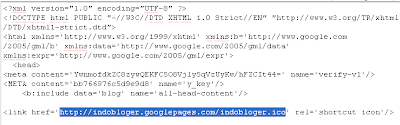
Now change the URL address 'favicon.ico' with the URL where you store files in file hosting favicon that you have uploaded earlier (right click on the image that you have uploaded before, and then select 'copy image location' / 'copy image location'). See the picture above, (click for larger view). Note, the highlighted section is an example URL that has changed. Change also URL address animated favicon (animated_favicon1.gif) if you still want it. Check that the URL is correct.
Click save templates and see the results. If the favicon does not appear, refresh the browser.
Tutorial Blog,
{[['

']]}


